Define your cabinets
Set dimensions, quantities, cabinet level, construction and fronts. Add individual project parts when a job needs more than a cabinet.
 SHAD CabinetTry SHAD Cabinet
 DESIGNED FOR THE CABINET WORKSHOP
Bring cabinet dimensions, construction settings and sheet layouts into one Windows workflow. Keep the details connected as your project changes.
Windows desktop · Metric & imperial inputs · Eight interface languages
English · فارسی · العربية · Français · Español · Deutsch · Svenska · 简体中文
THE WORKFLOW
Each stage works from the same cabinet and material information. Change an input, then regenerate the cutting list and nesting to review the updated result.
Set dimensions, quantities, cabinet level, construction and fronts. Add individual project parts when a job needs more than a cabinet.
Use your board thickness, sheet dimensions, grain settings and edge banding. Keep lower, upper and tall construction defaults organised.
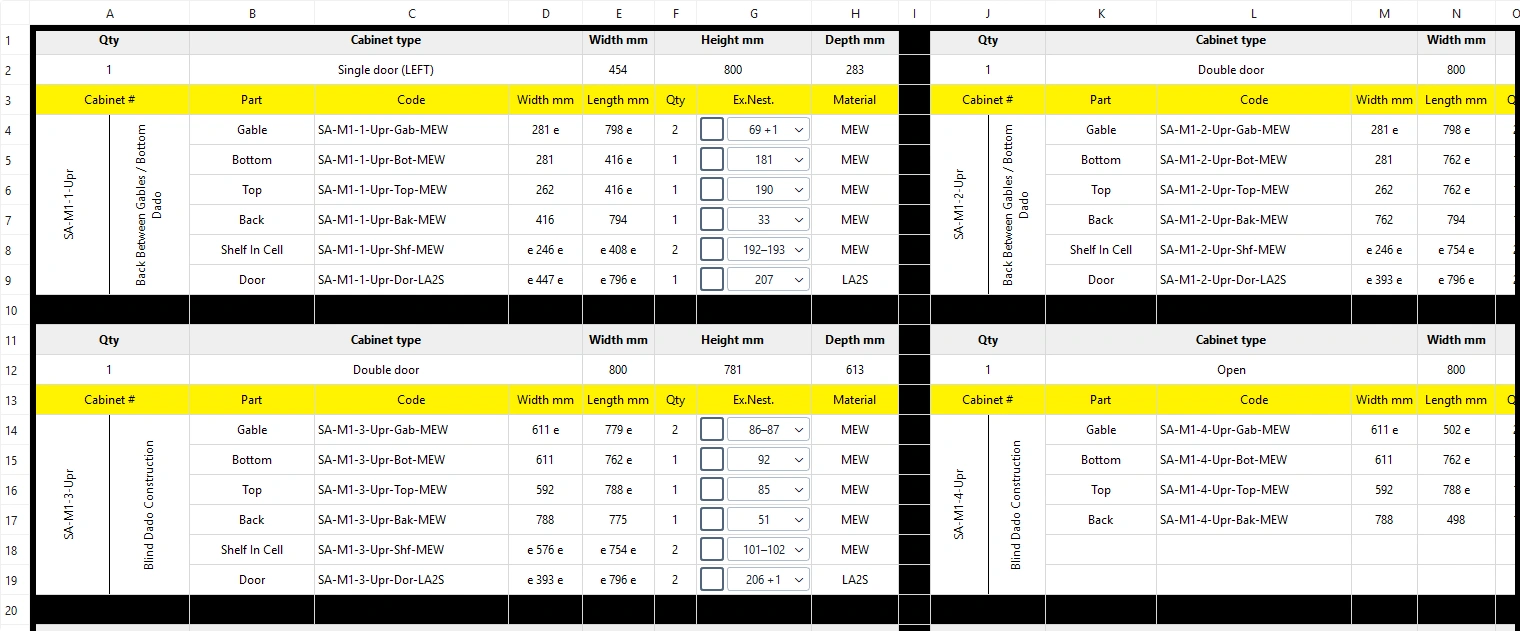
Inspect part codes, cut sizes, materials and quantities before laying out the sheets. Bring additional part information in from Excel.
Inspect nesting by material, review machining layers and export PDF, DXF or configured CNC postprocessor output.
FROM THE WORKSHOP TO THE DRAWING BOARD
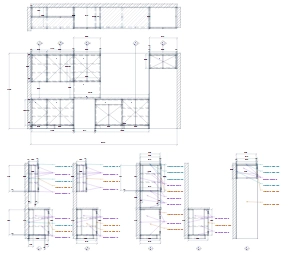
Arrange cabinets, fillers, bases and countertops in an elevation. Review front, top and side views with dimensions, then export an editable DXF shop drawing.
Continue arranging the drawing and preparing your print layouts in your CAD software.
BUILT AROUND THE DETAILS
Explore diagonal single-door and folding double-door corners for lower, upper and tall cabinets.
Current corner construction: Back Behind Gables · S04
A straight diagonal on the bottom, top and shelves. A single door with left or right standard hinges.
Construction schematic · Exact sizes come from the application
A WORKSHOP, NOT AN ISLAND
Point each Windows computer to a shared workshop project folder. The first user opens a project for editing; another user sees the saved version in read-only mode.
When the edit lock is released, reopen the file to load its latest saved version and request editing access.
Every computer must use a version that supports project locking. Shared folders do not provide licence activation.
One shared project · One active edit lock
START HERE
A short introductory walkthrough with real application screens and switchable subtitles in all eight software languages. Follow a chapter, or watch from the beginning.
Introductory edition · English synthetic narration · Demo data only
Keep the reference material beside your project.
English transcript ↗All eight caption tracks ↓Download the film ↓BEFORE YOU BEGIN
The desktop workflow is available as a Windows test build. Commercial licensing and online purchasing are being prepared.
SHAD Cabinet is a Windows desktop application. Cabinet inputs, materials, cutting lists, nesting and configured machining exports are handled in the desktop program.
The current application cannot be installed directly on an iPad. An iPad can control a Windows computer through a compatible remote-access setup; the application continues to run on Windows.
Current corner models use Back Behind Gables, S04. Single-door corners have diagonal fronts; folding double-door corners use an L-shaped front. Lower cabinets replace the full top with the appropriate stretchers.
No. Shared folders coordinate project files and edit locks. Commercial licensing and activation are a separate system, still in preparation.
Use a compatible postprocessor and your actual tool and machining settings. Review the output and validate it on your machine before production. Available configured machining export includes postprocessor output.
TRY IT IN YOUR WORKSHOP
Explore cabinet inputs, cutting lists, sheet nesting and drawing tools in the Windows trial. A sample project is included so you can follow the workflow before starting your own.
Download and install the application, then request your activation code. The seven-day period starts when you first activate it.
7 days / unlimited launches
Download the installer, run it on Windows, and enter your activation code.
Download Windows trial ↓Download the installer as a ZIP ↓
One trial per computer. Reinstalling or downloading again does not restart it. Online activation checks a device identifier and the trial expiry; your project files stay on your computer.
THE NEXT STEP
Try the workflow first, then talk to us about the edition and activation options for your computers.
Online checkout and automatic licence delivery are in preparation. Pricing and licence terms will be published before online purchases open.
Ask about purchasing →LET’S TALK CABINETS
Tell us about your cabinet work, materials and machine setup.
info@shadcabinet.com